Deucalion
Back up your Ubuntu computer to an external drive. Get files back when you need them, and set up a new computer, or a new version of Ubuntu, from that backup.
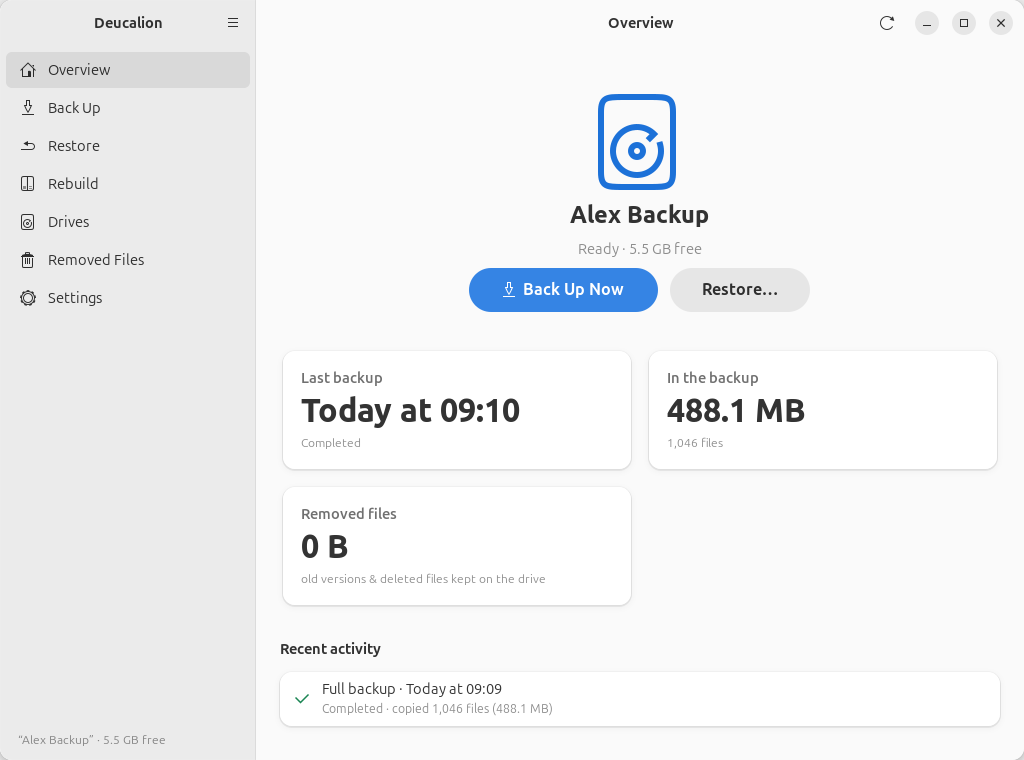
Deucalion is a free backup tool for Ubuntu. You can use it as an app with buttons and windows, or by typing commands in a terminal. Both do the same things.
What it protects you from
- A lost, stolen or broken computer. Your files, and a description of how your computer was set up, are on your backup drive. Deucalion can set up a new computer from it.
- Upgrading to a new Ubuntu version. Install the new version fresh, then let Deucalion put your files, apps and settings back, one step at a time.
- Deleting or overwriting something by mistake. Restore one file or a whole folder. Older versions of changed files are kept on the drive too.
- Someone else reading your backup. You can encrypt the backup drive with a password.
Who it is for
Anyone with an Ubuntu computer (Ubuntu 24.04 or newer; on 22.04, from the command line) and an external drive, such as a USB hard disk or SSD. You don't need to know how to use a terminal: every task can be done in the app, and every tutorial shows the app first.
How it works, in 30 seconds
flowchart LR
    PC["Your computer<br/>(home folder, apps, settings)"] -- "Back Up<br/>(copies what changed)" --> D[("Backup drive<br/>(plain files, optionally encrypted)")]
    D -- "Restore<br/>(a file or a folder)" --> PC
D -- "Rebuild<br/>(step by step)" --> NEW["A new computer<br/>or a new Ubuntu version"]- You back up. Deucalion copies your home folder to the drive, plus a system recipe: a list of your apps, software sources, desktop settings and other system settings. The next backup only copies what changed.
- The backup is normal files. You can open it on Linux, Windows or macOS, even without Deucalion.
- Nothing on the drive is thrown away by a backup. If you change or delete a file on your computer, the old copy is moved to Removed Files on the drive. Only you can empty it.
- You restore or rebuild when you need to. Deucalion always shows what it will change before it changes anything, and keeps a copy of anything it replaces on your computer.
Start here
-
A few minutes. You need an internet connection.
-
Prepare a drive and back up, in the app or in a terminal.
-
New Ubuntu version or new computer? Start here.
-
Messages you might see, and what to do.
What Deucalion does not do (in version 0.2)
Deucalion runs only when you start it: there are no scheduled or automatic backups yet. It keeps one up-to-date copy of your files (plus the old versions in Removed Files), not a history of daily snapshots. It does not copy Docker images or virtual machine disks; it only lists them. See the roadmap for what is planned next: other Linux distributions, automatic backups, macOS and Windows.