Unlock and lock an encrypted drive
What you'll do: open an encrypted backup drive with its password, and close it again before you
unplug it.
What you need: the drive and its password; for VeraCrypt, your administrator password.
How long it takes: under a minute (unlocking VeraCrypt can take up to a minute).
You don't always need to unlock by hand: the app's Back Up Now and Restore, and every command that needs the drive, ask for the password when the drive is locked. A LUKS drive is also unlocked by Ubuntu itself when you plug it in (it asks for the password).
Unlock
-
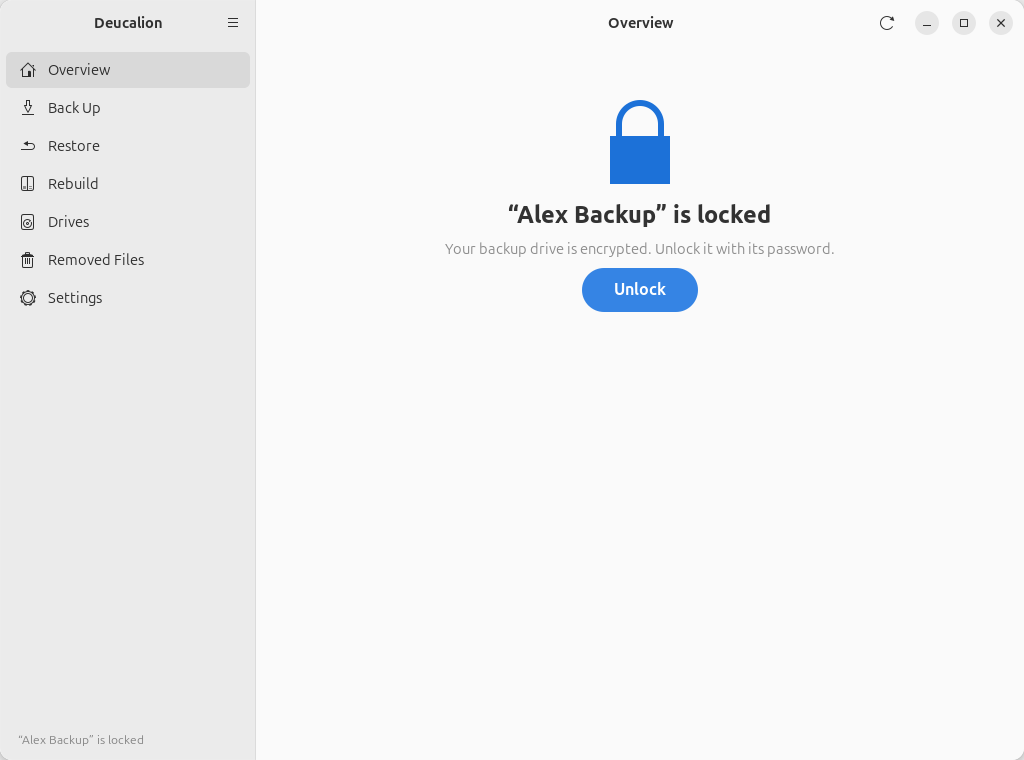
Plug in the drive. The Overview page says the drive is locked:
-
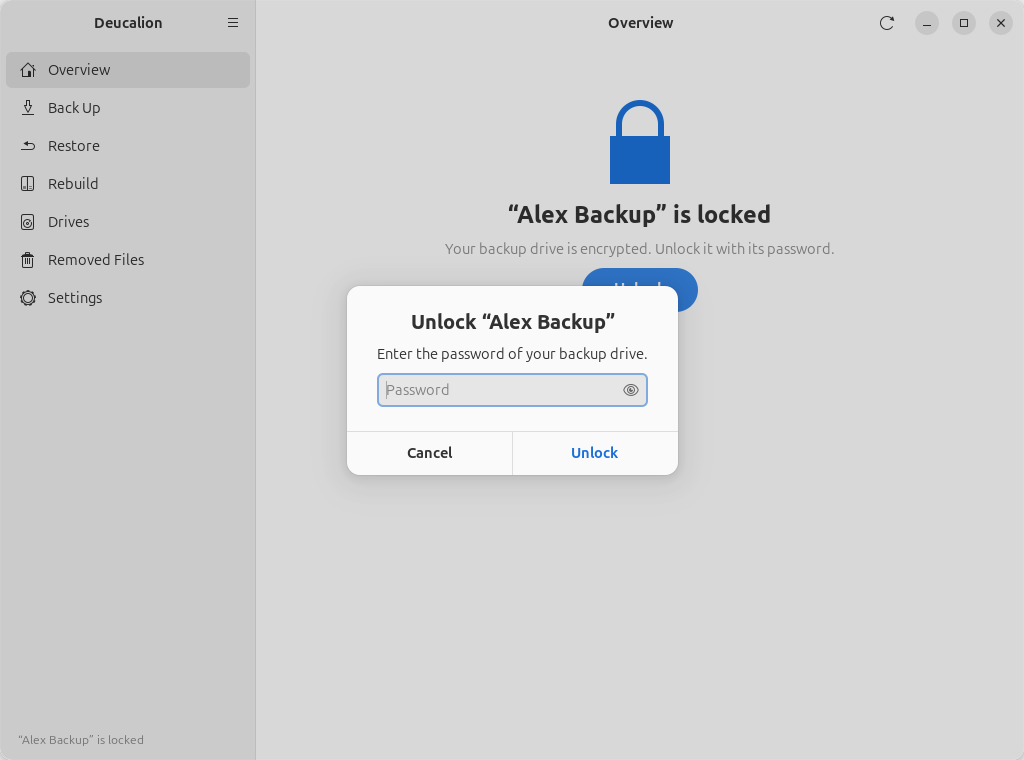
Click Unlock. Type the backup's password and click Unlock.
-
For VeraCrypt, Ubuntu asks for your administrator password. A message at the bottom says the drive is unlocked, and the Overview page shows it as Ready.
The Unlock button is also on the Drives, Restore and Rebuild pages while the drive is locked.
$ deucalion open
Backup password:
  Unlocking (you will be asked for your administrator password)…
  Unlocking (VeraCrypt volumes can take up to a minute)…
Backup drive 'Alex Backup' is open: /media/alex/Alex Backup/Deucalion-Backup
On a computer where the drive isn't registered yet, deucalion open finds it, unlocks it and
registers it (see open).
Lock (before unplugging)
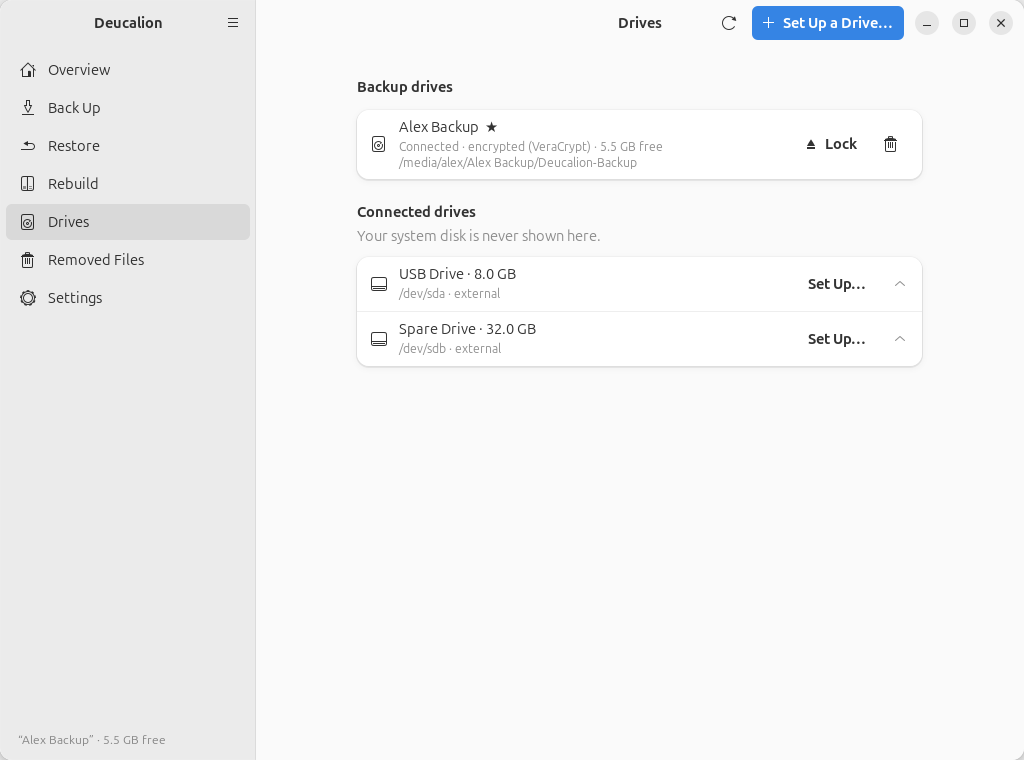
Go to Drives and click Lock next to the drive (Unmount for a drive that isn't encrypted). When the message You can unplug the drive now appears, unplug it.
$ deucalion close
Backup drive 'Alex Backup' is closed. You can unplug it.
If it says the drive is in use, close any Files window (or program) that shows the drive's files, and try again.
If you forget the password
It can't be recovered, by you or by anyone else, and Deucalion doesn't store it. The backup can't be opened without it. If you still have your computer, set up the drive again (erasing it) with a new password and make a new full backup.
Next steps: Open your backup without Deucalion.