Free space on the drive
What you'll do: see what takes space on the backup drive, and free some.
What you need: your backup drive.
How long it takes: 5 minutes.
Space on a backup drive is used by:
- The backup itself: what you back up. Make it smaller by leaving out what you don't need.
- Removed Files: old versions and deleted files, kept until you empty them. This usually grows over time, and it is the first place to free space.
See and empty Removed Files
-
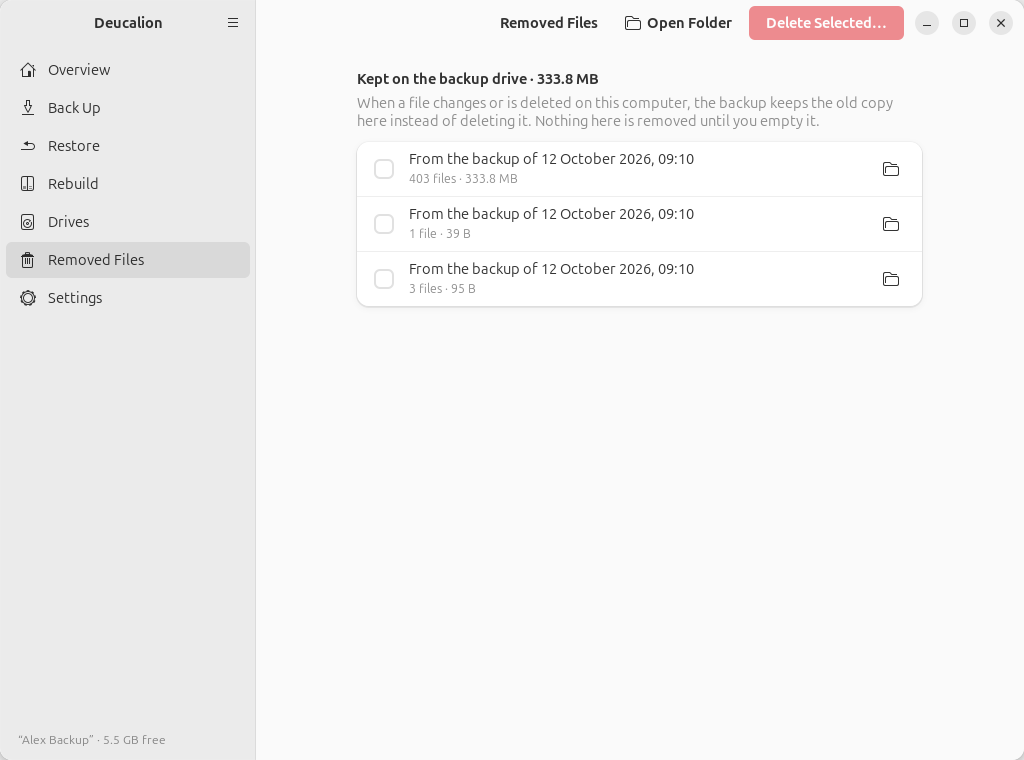
Go to Removed Files. The title shows the total; each row is one backup's old and deleted files, newest first.
-
To look inside a group first, click its folder button: it opens in the Files app.
-
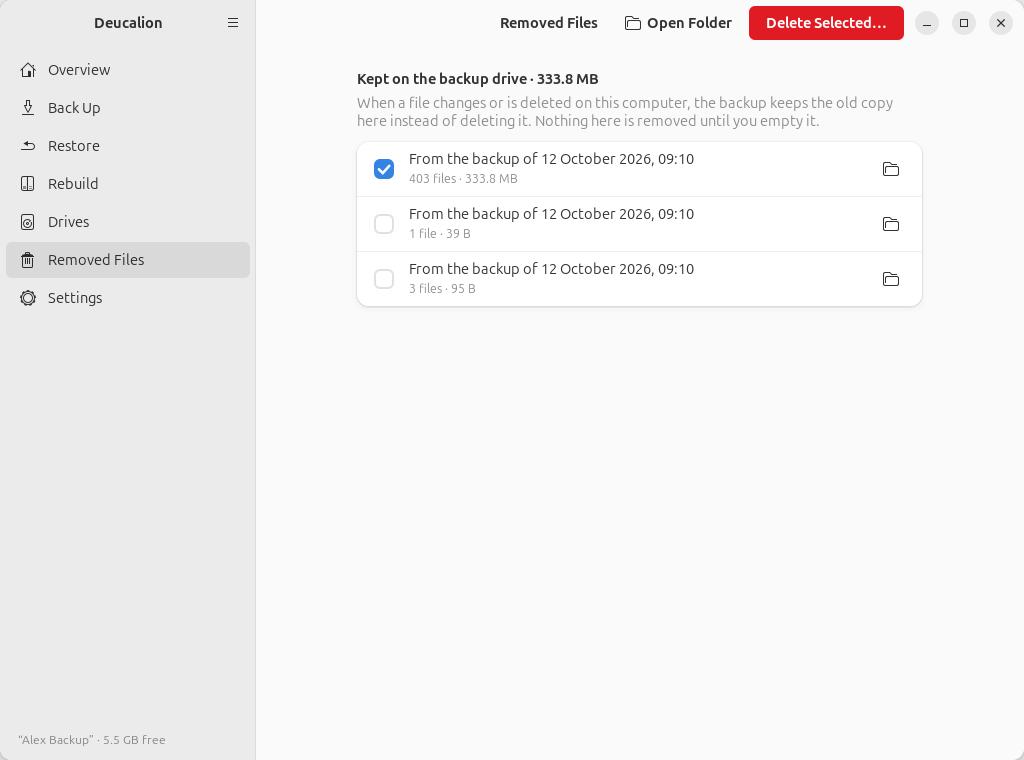
Tick the groups you don't need (usually the oldest) and click Delete Selected….
-
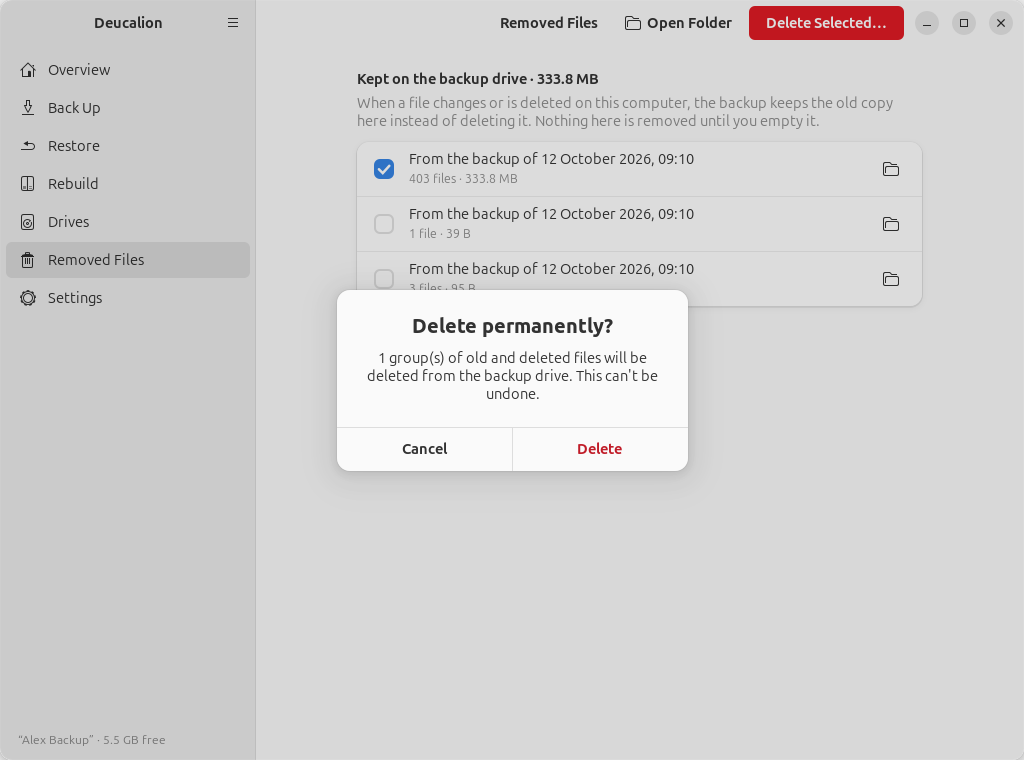
Confirm with Delete. A message says how much space was freed.
-
List the groups (batches), oldest first:
$ deucalion removed 2026-10-12_091017 3 files 95 B 2026-10-12_091020 1 files 39 B 2026-10-12_091041 403 files 333.8 MB Total: 333.8 MB (/media/alex/Alex Backup/Deucalion-Backup/_removed) -
Delete one or more by name (or all of them with
deucalion removed empty), and answery:$ deucalion removed empty 2026-10-12_091017 This permanently deletes 1 batch(es), 95 B, from the drive: 2026-10-12_091017 3 files 95 B Delete them permanently? [y/N] y Freed 95 B.
This can't be undone
What you delete from Removed Files is gone from the drive. Only delete versions you are sure you don't need.
When the drive is full
Before copying anything, Deucalion checks that the backup fits. If it doesn't, it stops without copying and says how much is needed:
$ deucalion backup --target Small
Backing up to Small  /media/alex/Small/Deucalion-Backup
Note: this drive is not encrypted, and your backup includes keys or logged-in sessions (.ssh).
Saving the system recipe (packages, settings, services) — you may be asked for your administrator password…
Backup plan (full: everything)
  New files:             660   369.1 MB
  Changed files:           0   0 B (previous versions go to _removed/)
  Gone/excluded:           0   0 B (moved to _removed/)
  Unchanged:               0   0 B
Not enough space on the drive: this backup needs about 389.8 MB but only 59.3 MB is free. You can free space by emptying _removed/ (deucalion removed empty) or excluding large folders.
In the app, the same message appears in a bar above the plan, and Start Backup is greyed out.
What to do, in this order:
- Empty old groups in Removed Files (above), then back up again.
- Leave out large folders you don't need backed up (the plan's Largest folders list shows what is big).
- Move to a bigger drive: see Move your backups to a bigger drive.
If the drive fills up during a backup (for example because files grew while it ran), the backup stops with "The backup drive is full. Free some space (for example empty _removed/ with: deucalion removed empty, or leave out large folders) and run again." Nothing is damaged: free some space and run the backup again; it continues where it stopped.
What you have now: room for your next backups.