Include protected settings
What you'll do: decide whether full backups also save the settings that only the administrator
can read.
What you need: your administrator password, at each full backup.
How long it takes: 1 minute.
Some parts of the system recipe can only be read by the administrator:
- your saved Wi-Fi and VPN connections, with their passwords;
- some system settings files in
/etc; - the administrator's scheduled tasks (root's crontab).
With protected settings on (the default), Ubuntu asks for your administrator password at the start of each full backup, and these are saved too. A rebuild can then put your Wi-Fi networks back on a new computer.
Passwords on the drive
Saved connections contain their passwords. On a drive that isn't encrypted, anyone with the drive can read them. Use an encrypted drive, or turn protected settings off.
- On the Back Up page: with Everything chosen, the switch Include protected settings.
- On the Settings page: Include protected system settings (the same setting).
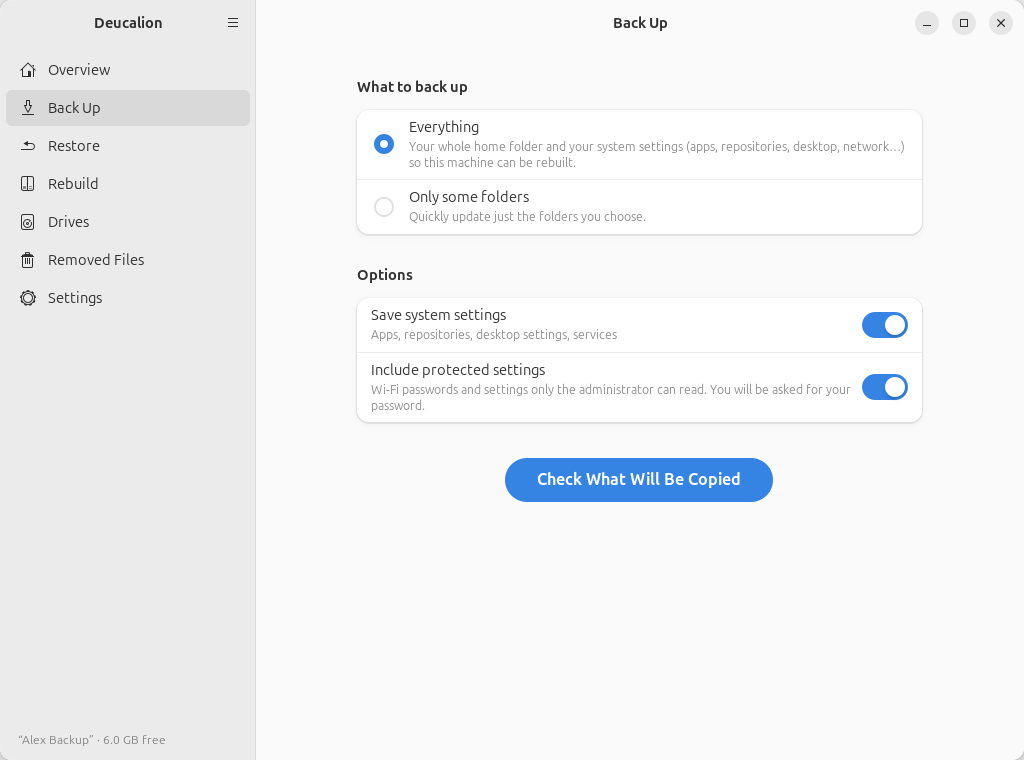
Turn it off to never be asked. It is remembered for the next backups.
It is on unless you turn it off in the configuration file
("system_admin": false) or the app. For one backup, --no-admin skips it:
$ deucalion backup --no-admin
Backing up to Alex Backup  /media/alex/Alex Backup/Deucalion-Backup
Saving the system recipe (packages, settings, services)…
Backup plan (full: everything)
  New files:               2   293.0 KB
  Changed files:           1   1.4 KB (previous versions go to _removed/)
  Gone/excluded:           2   333.8 MB (moved to _removed/)
  Unchanged:             645   156.7 MB
  Warnings (1):
    System settings (/etc, network) were not updated because administrator access was not used; the copy from an earlier backup is kept.
Backup finished in 0s: copied 3 files (294.4 KB), moved 2 items to _removed/. Some warnings above.
Log: /media/alex/Alex Backup/Deucalion-Backup/.deucalion/logs/2026-10-12_091040-backup.log
The warning means: the protected settings saved by an earlier backup are kept as they were; they are just not updated this time.
When the administrator password isn't given (you cancel the password window, or turn the option off), everything else is still backed up, and a copy of the protected settings from an earlier backup is kept, never deleted.
What you have now: you know when Deucalion asks for your administrator password, and why.
Next steps: Administrator access explains how that password is used.