Find and restore a file
What you'll do: get back a file you deleted or changed by mistake.
What you need: your backup drive (and its password if it is encrypted).
How long it takes: 2 minutes.
In this example, Alex overwrote ~/Documents/Notes.txt by mistake and deleted notes.txt.
- Plug in the backup drive. Open Deucalion and go to Restore. (If the drive is locked, click Unlock and type its password.)
-
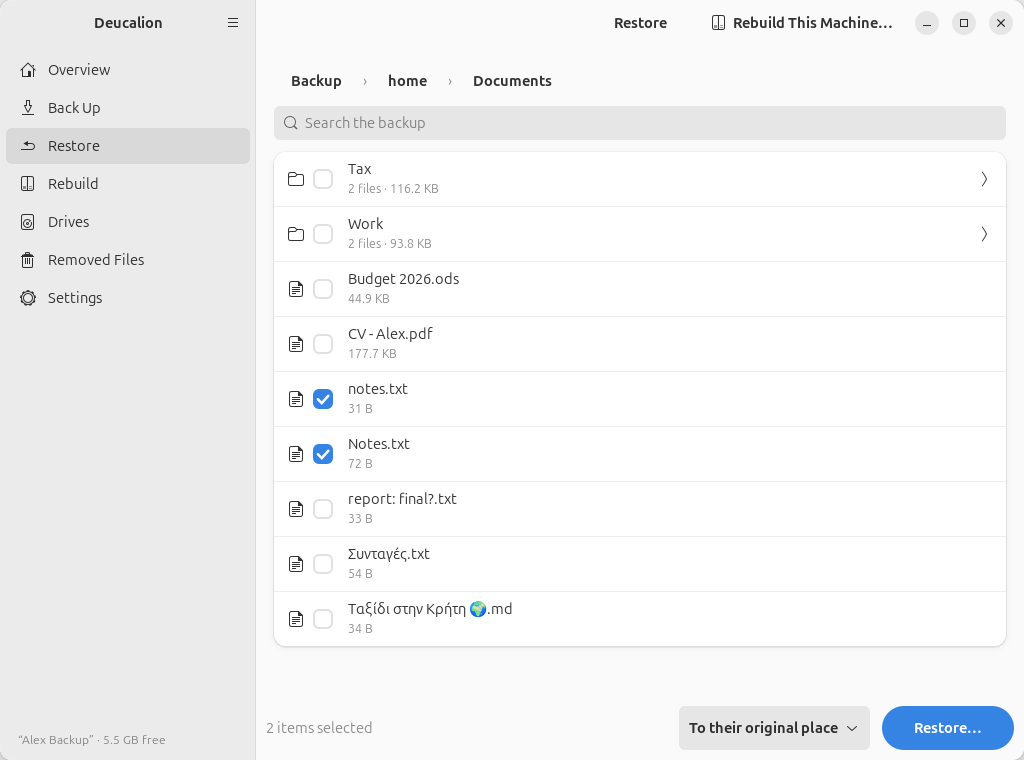
- Browse: click Home folder, then the folders down to the file (Documents). The names are the original ones.
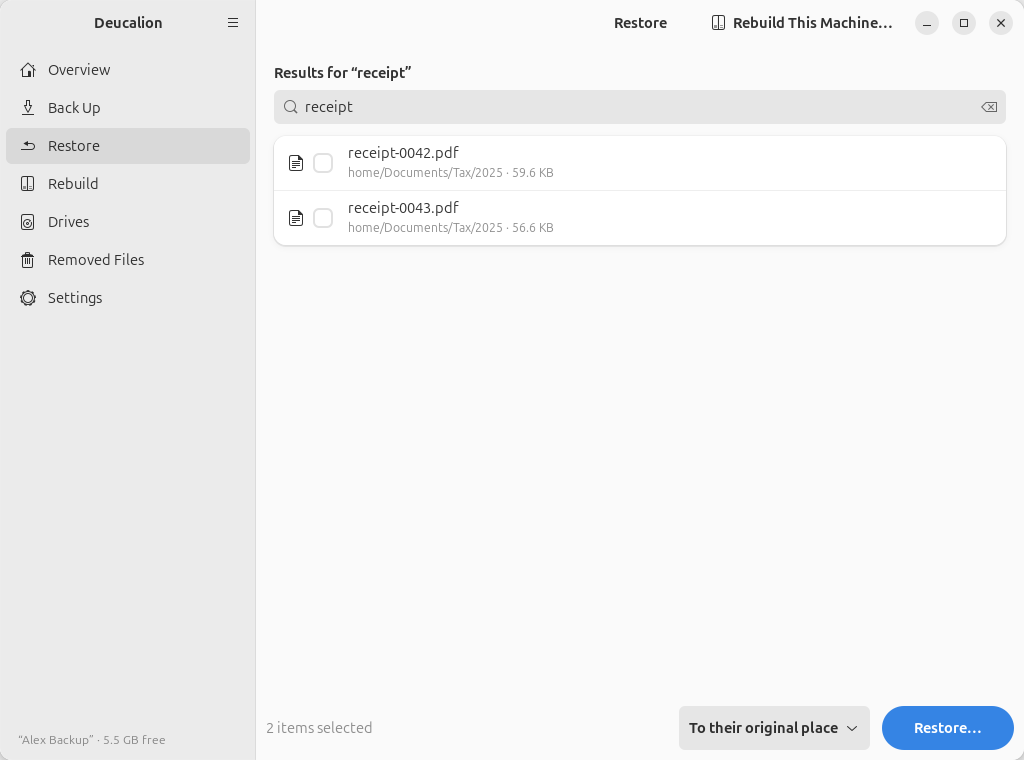
- Or search: type part of the name in Search the backup. Results come from the whole backup, with their folder.
Find the file:
-
Tick the file (or several files, or a whole folder).
-
Keep To their original place and click Restore….
-
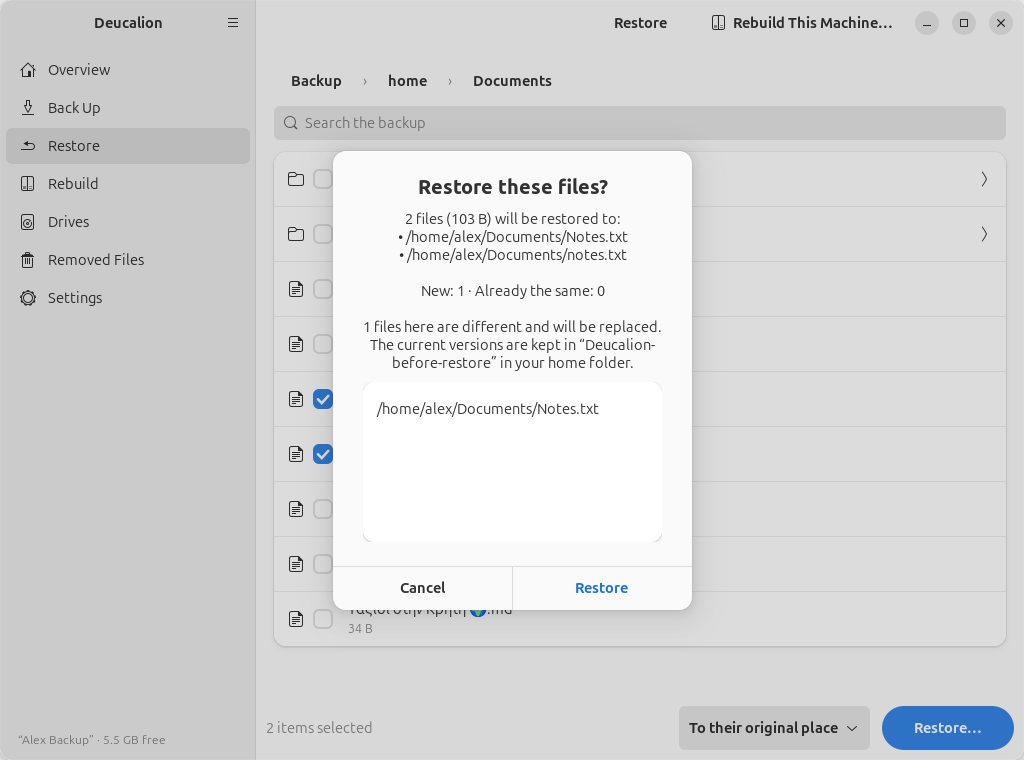
Read the preview. Files that are different and will be replaced are listed; their current versions are kept in the undo folder Deucalion-before-restore in your home folder.
-
Click Restore.
-
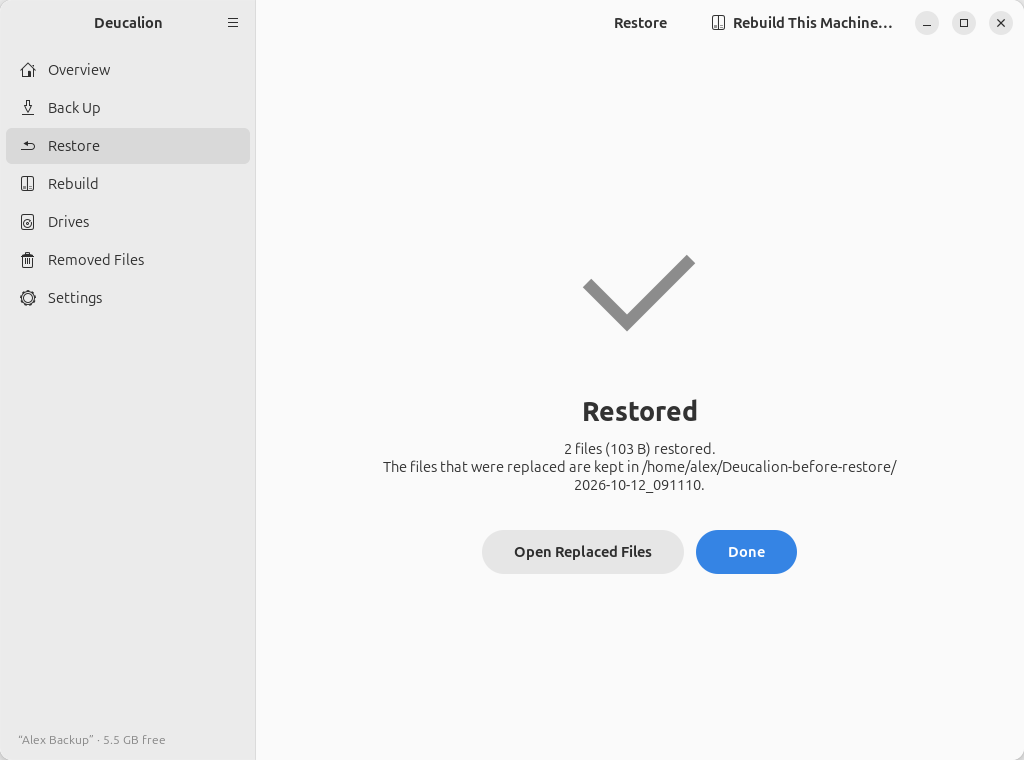
Click Done.
- Plug in the backup drive and open a terminal.
-
Find the file.
deucalion lslists a folder of the backup with the original names:$ deucalion ls ~/Documents Budget 2026.ods 44.9 KB CV - Alex.pdf 177.7 KB notes.txt 31 B Notes.txt 39 B report: final?.txt 33 B Tax/ 2 files, 116.2 KB Work/ 2 files, 93.8 KB Συνταγές.txt 54 B Ταξίδι στην Κρήτη 🌍.md 34 B -
See what a restore would do, without changing anything:
$ deucalion restore "~/Documents/Budget 2026.ods" --dry-run Restore plan home/Documents/Budget 2026.ods → /home/alex/Documents/Budget 2026.ods New: 0 Overwrite: 1 (current versions are moved aside first) Already the same: 0 To copy: 1 44.9 KB Will overwrite: /home/alex/Documents/Budget 2026.ods Dry run: nothing was changed. -
Restore it (put names with spaces in quotes), and answer
y:$ deucalion restore "~/Documents/Budget 2026.ods" Restore plan home/Documents/Budget 2026.ods → /home/alex/Documents/Budget 2026.ods New: 0 Overwrite: 1 (current versions are moved aside first) Already the same: 0 To copy: 1 44.9 KB Will overwrite: /home/alex/Documents/Budget 2026.ods Restore now? [y/N] y Restored 1 file (44.9 KB). Files that were replaced are kept in /home/alex/Deucalion-before-restore/2026-10-12_091135
You can name several files or folders in one command.
What you have now: the file as it was at your last backup, in its original place, with its
permissions and date. The version it replaced is in ~/Deucalion-before-restore/<date and time>/….
An older version
The backup holds the version from your last backup. Older versions of a changed file may be in
Removed Files: open the drive's Deucalion-Backup/_removed/ folder in
the Files app and look in the dated folders.
Next steps: Restore a folder to another place · Undo a restore.