Set up a drive: whole drive, LUKS
What you'll do: encrypt a whole drive with LUKS, the encryption built into Ubuntu.
What you need: Deucalion installed; an external drive whose
contents you don't need (it will be erased); a password you will remember.
How long it takes: about 5 minutes.
Good for: a backup drive used only with Linux. No extra software, no administrator password, and Ubuntu itself asks for the drive's password when you plug it in. Keep in mind: Windows and macOS can't open it. The drive has no unencrypted part, so no copy of Deucalion and no READ-ME file on it. Inside, the backup uses ext4, which keeps Linux permissions and names as they are.
This erases the whole drive
Everything on it is deleted. Copy anything you want to keep somewhere else first.
- Plug in the drive. Open Deucalion, go to Drives, and click Set Up… next to the drive.
-
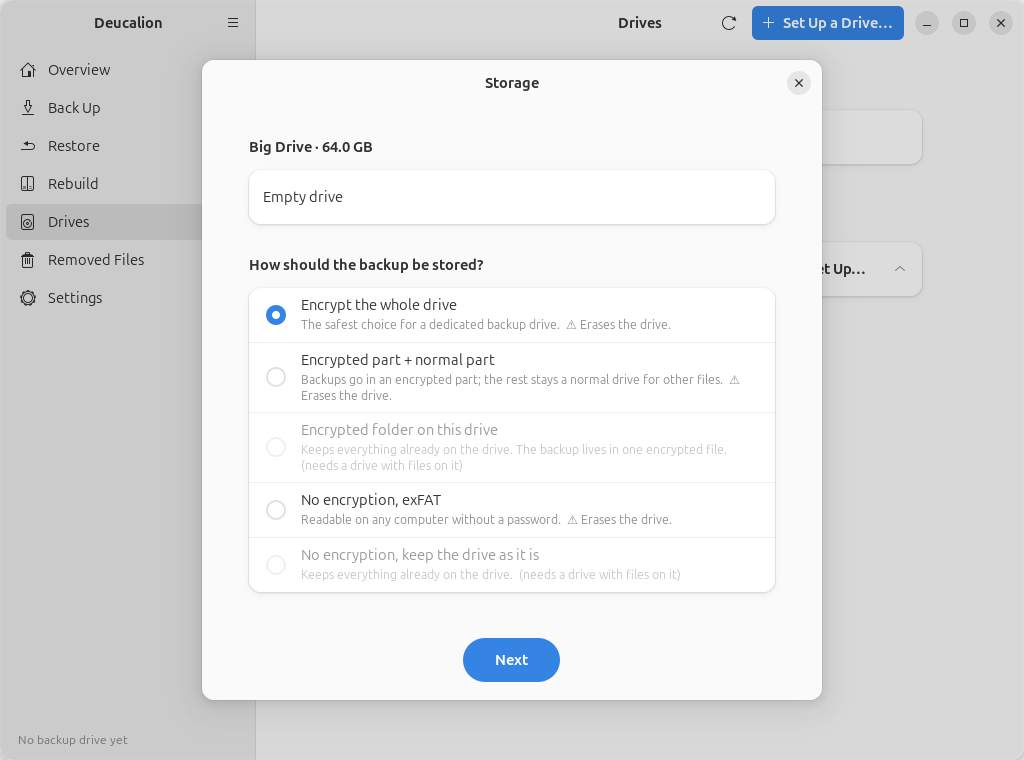
Choose Encrypt the whole drive, click Next.
-
Choose LUKS (Linux only), click Next.
-
Type a Name of the backup drive (here
Big) and the Password twice. Click Next.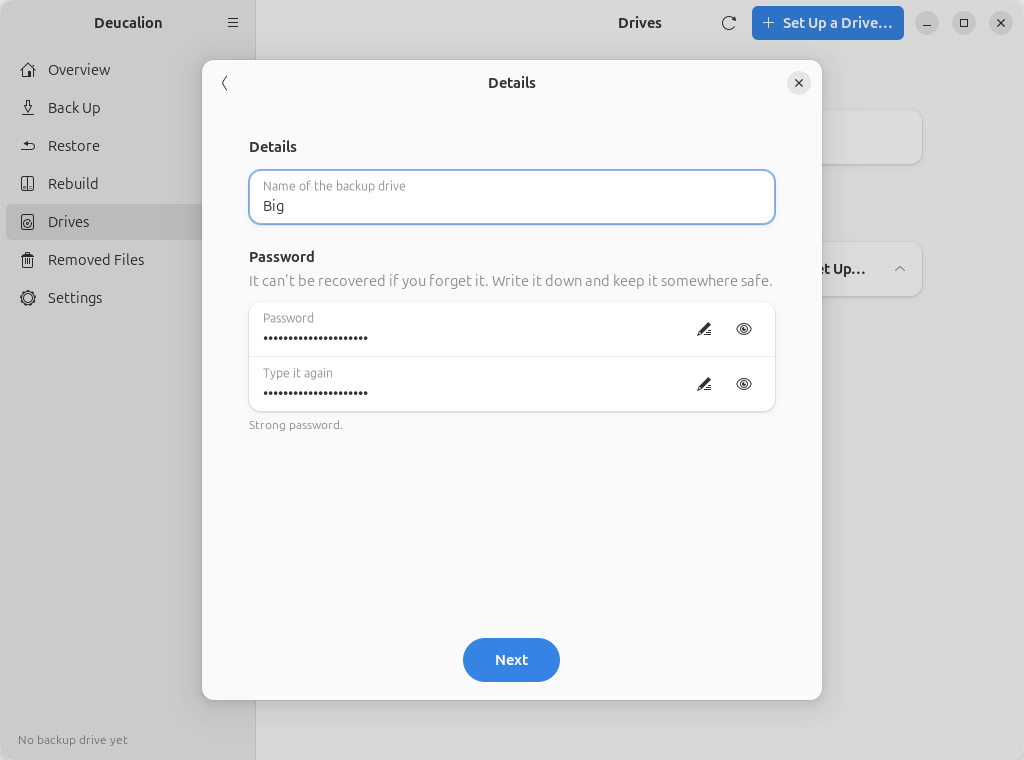
Write the password down
Nobody can recover it. Without it, the backup can't be opened.
-
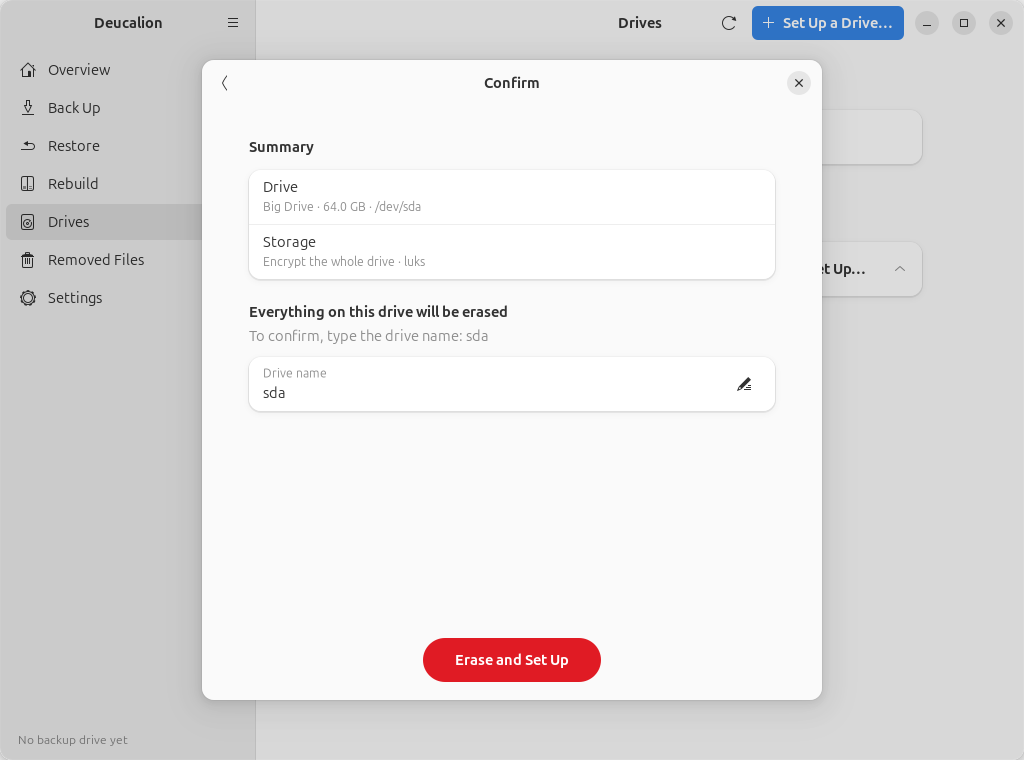
Type the drive's name shown on the Confirm page and click Erase and Set Up.
-
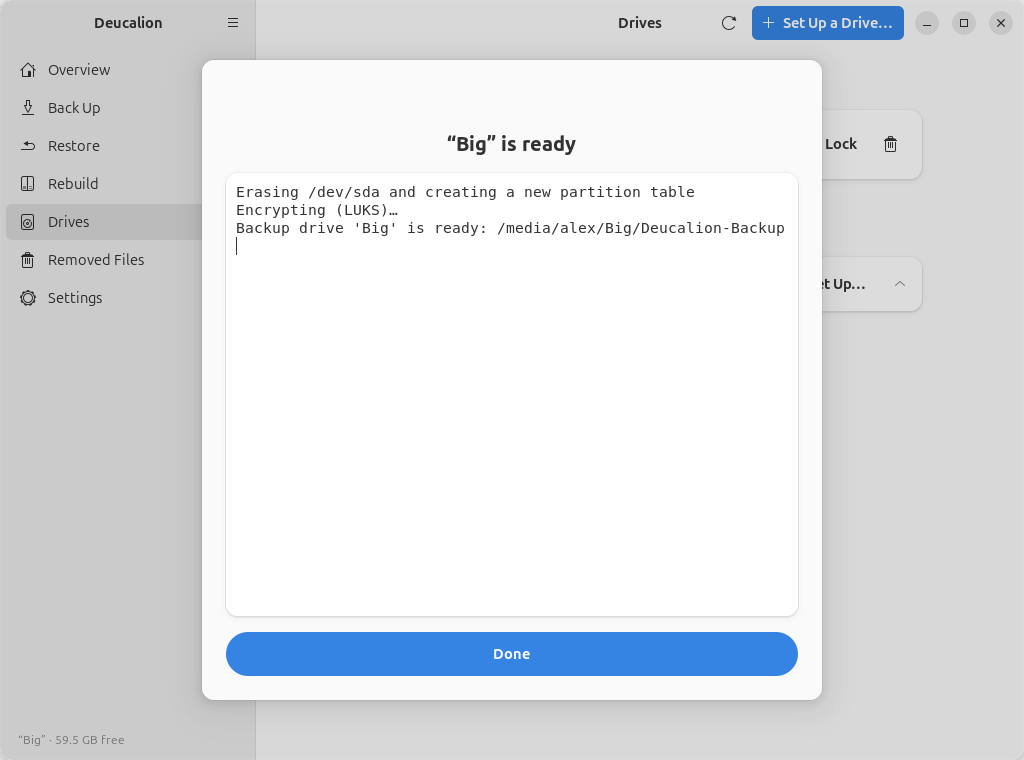
When it says the drive is ready, click Done.
- Plug in the drive and open a terminal.
-
Find the drive's name with
deucalion drives(here/dev/sdb), then run, with that name:deucalion setup-drive /dev/sdb --layout encrypt-all --method luks --name BigType the drive's short name to confirm, then the password twice:
$ deucalion setup-drive /dev/sda --layout encrypt-all --method luks --name Big

/dev/sda  Big Drive  64.0 GB
  (empty)

Summary
  Drive:  /dev/sda  Big Drive  64.0 GB
  Layout: Encrypt the whole drive (luks)
  EVERYTHING on /dev/sda will be erased.
  To confirm, type the drive name (sda): sda

Choose the password for the backup. It cannot be recovered if you forget it: write it down and keep it somewhere safe.
  Backup password:
  Type it again:
  Erasing /dev/sda and creating a new partition table
  Encrypting (LUKS)…
  Backup drive 'Big' is ready: /media/alex/Big/Deucalion-Backup

Done. Back up with: deucalion backup  (drive 'Big')
Write the password down
Nobody can recover it. Without it, the backup can't be opened.
What you have now: an encrypted LUKS backup drive, unlocked, registered as your default backup drive.
Next time you plug it in, Ubuntu asks for its password and opens it. Deucalion then finds the
backup by itself. You can also unlock it with Deucalion (Unlock in the app, or deucalion open).
Next steps: Make a full backup · Unlock and lock an encrypted drive.